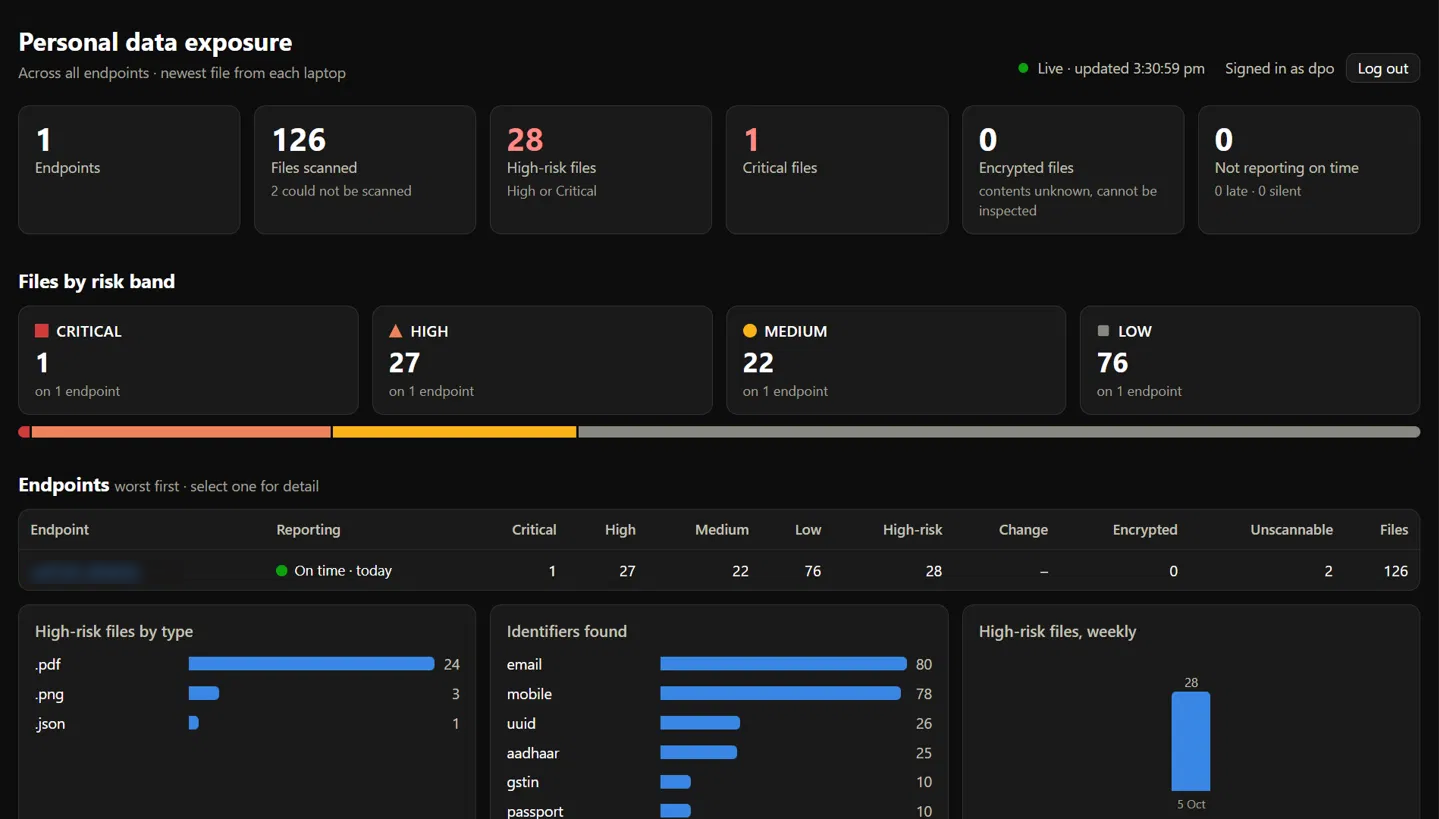
The DPO dashboard: personal data exposure across all endpoints, worst first. Click to view full size.
Each laptop sends its findings to one server inside your own network: counts, kinds and locations, never a personal data value.
The DPO dashboard: personal data exposure across all endpoints, worst first. Click to view full size.
How many machines are reporting, how many files sit in each risk band, and which machines have gone quiet.
Click a machine carrying Critical or High risk to see the files driving it, by type and by identifier found.
Tell the team what to clear. The next scan's trend shows whether the exposure actually fell.
The server holds counts, kinds and locations. It never holds a personal data value.
Risk is reported per machine. The agent records the laptop, not who uses it.
Talk to us about a DPScan pilot and a walkthrough of the DPO dashboard.
No obligation. Strategic clarity in the first conversation.